


No products in the cart.
Full motion TV wall mounts from Rs 950. Swivel, tilt and extend — adjustable brackets for 14″–85″ TVs. KALOC, North Bayou & ZENO. Same-day Colombo install.
Full Motion & Adjustable TV Wall Mounts
Showing all 20 results
- Full Motion & Adjustable TV Wall Mounts, TV Brackets, Wall Mounts & Stands
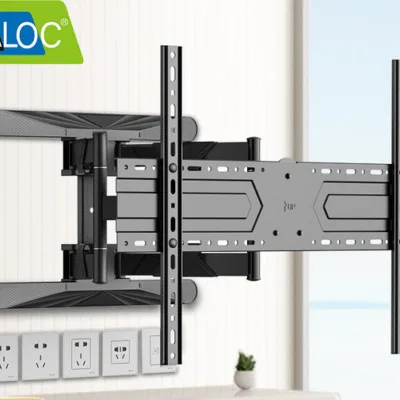
Kaloc H8 TV Wall Mount – Universal Full Motion Tilt and Swivel Bracket , Best for 32” to 80” Inch TVs
 Full Motion & Adjustable TV Wall Mounts, TV Brackets, Wall Mounts & Stands
Kaloc H8 TV Wall Mount – Universal Full Motion Tilt and Swivel Bracket , Best for 32” to 80” Inch TVs
Delivery & Installation Services:
- Same-day delivery and installation service available in Colombo.
- Island-wide delivery: 1 – 2 Days (COD Available).
- ඕනෑම වේලාවක ඔබගේ නිවසට, කාර්යාලයට හෝ සේවා ස්ථානයට පැමිණ මෙය සවිකර දීමට හැකිය.
SKU: n/a - Full Motion & Adjustable TV Wall Mounts, TV Brackets, Wall Mounts & Stands
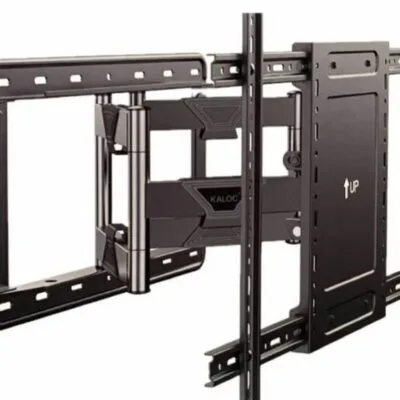
Kaloc NX 90 TV Wall Mount – Heavy-Duty Full Motion Strong Bracket for 65” to 90” TVs (Model: KLC-H9)
 Full Motion & Adjustable TV Wall Mounts, TV Brackets, Wall Mounts & Stands
Kaloc NX 90 TV Wall Mount – Heavy-Duty Full Motion Strong Bracket for 65” to 90” TVs (Model: KLC-H9)
Delivery & Installation Services:
- Same-day delivery and installation service available in Colombo.
- Island-wide delivery: 1 – 2 Days (COD Available).
- ඕනෑම වේලාවක ඔබගේ නිවසට, කාර්යාලයට හෝ සේවා ස්ථානයට පැමිණ මෙය සවිකර දීමට හැකිය.
SKU: n/a - Full Motion & Adjustable TV Wall Mounts, TV Brackets, Wall Mounts & Stands
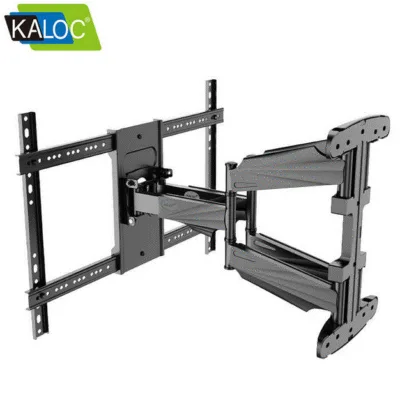
Kaloc S8 TV Wall Mount – Universal Heavy-Duty Full Motion Bracket Perfect for 40” to 85” LED & LCD TVs
 Full Motion & Adjustable TV Wall Mounts, TV Brackets, Wall Mounts & Stands
Kaloc S8 TV Wall Mount – Universal Heavy-Duty Full Motion Bracket Perfect for 40” to 85” LED & LCD TVs
Delivery & Installation Services:
- Same-day delivery and installation service available in Colombo.
- Island-wide delivery: 1 – 2 Days (COD Available).
- ඕනෑම වේලාවක ඔබගේ නිවසට, කාර්යාලයට හෝ සේවා ස්ථානයට පැමිණ මෙය සවිකර දීමට හැකිය.
SKU: n/a - Full Motion & Adjustable TV Wall Mounts, TV Brackets, Wall Mounts & Stands
Kaloc X4 Full Motion TV Wall Mount | 27-60 Inch Heavy-Duty Bracket | Tilt, Swivel & Extend | Universal VESA Compatible
 Full Motion & Adjustable TV Wall Mounts, TV Brackets, Wall Mounts & Stands
Kaloc X4 Full Motion TV Wall Mount | 27-60 Inch Heavy-Duty Bracket | Tilt, Swivel & Extend | Universal VESA Compatible
Delivery & Installation Services:
- Same-day delivery and installation service available in Colombo.
- Island-wide delivery: 1 – 2 Days (COD Available).
- ඕනෑම වේලාවක ඔබගේ නිවසට, කාර්යාලයට හෝ සේවා ස්ථානයට පැමිණ මෙය සවිකර දීමට හැකිය.
SKU: n/a - Full Motion & Adjustable TV Wall Mounts, TV Brackets, Wall Mounts & Stands
Kaloc X6 TV Wall Mount – Heavy Duty Strong Double Arm Bracket for 27″–70″ TVs
 Full Motion & Adjustable TV Wall Mounts, TV Brackets, Wall Mounts & Stands
Kaloc X6 TV Wall Mount – Heavy Duty Strong Double Arm Bracket for 27″–70″ TVs
Delivery & Installation Services:
- Same-day delivery and installation service available in Colombo.
- Island-wide delivery: 1 – 2 Days (COD Available).
- ඕනෑම වේලාවක ඔබගේ නිවසට, කාර්යාලයට හෝ සේවා ස්ථානයට පැමිණ මෙය සවිකර දීමට හැකිය.
SKU: n/a - Full Motion & Adjustable TV Wall Mounts, TV Brackets, Wall Mounts & Stands
KALOC X7 Heavy Duty Double Arm Full Motion TV Wall Mount for 32”–75” Screens – Swivel, Tilt & Extendable Design
 Full Motion & Adjustable TV Wall Mounts, TV Brackets, Wall Mounts & Stands
KALOC X7 Heavy Duty Double Arm Full Motion TV Wall Mount for 32”–75” Screens – Swivel, Tilt & Extendable Design
Delivery & Installation Services:
- Same-day delivery and installation service available in Colombo.
- Island-wide delivery: 1 – 2 Days (COD Available).
- ඕනෑම වේලාවක ඔබගේ නිවසට, කාර්යාලයට හෝ සේවා ස්ථානයට පැමිණ මෙය සවිකර දීමට හැකිය.
SKU: n/a - Full Motion & Adjustable TV Wall Mounts, TV Brackets, Wall Mounts & Stands
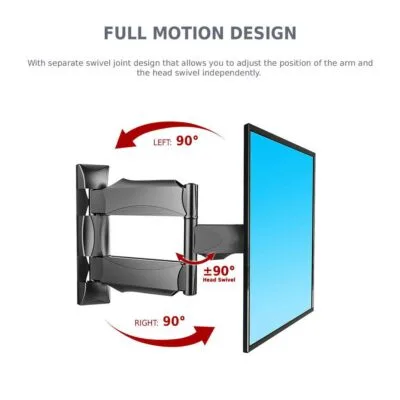
NB P4 Full Motion TV Wall Mount | 32-55 Inch Adjustable Bracket for LED & LCD Screens
 Full Motion & Adjustable TV Wall Mounts, TV Brackets, Wall Mounts & Stands
NB P4 Full Motion TV Wall Mount | 32-55 Inch Adjustable Bracket for LED & LCD Screens
Delivery & Installation Services:
- Same-day delivery and installation service available in Colombo.
- Island-wide delivery: 1 – 2 Days (COD Available).
- ඕනෑම වේලාවක ඔබගේ නිවසට, කාර්යාලයට හෝ සේවා ස්ථානයට පැමිණ මෙය සවිකර දීමට හැකිය.
SKU: n/a - Full Motion & Adjustable TV Wall Mounts, TV Brackets, Wall Mounts & Stands
NB P5 TV Wall Mount – Dual Arm Full Motion Useful Bracket for 32”–70” LED/LCD Screens
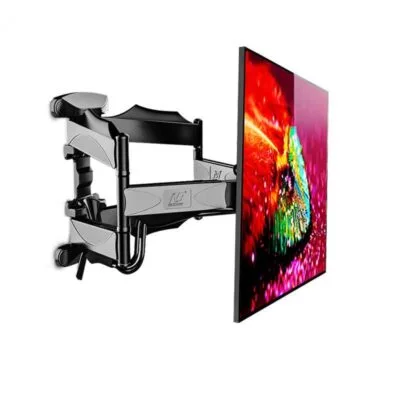 Full Motion & Adjustable TV Wall Mounts, TV Brackets, Wall Mounts & Stands
NB P5 TV Wall Mount – Dual Arm Full Motion Useful Bracket for 32”–70” LED/LCD Screens
Delivery & Installation Services:
- Same-day delivery and installation service available in Colombo.
- Island-wide delivery: 1 – 2 Days (COD Available).
- ඕනෑම වේලාවක ඔබගේ නිවසට, කාර්යාලයට හෝ සේවා ස්ථානයට පැමිණ මෙය සවිකර දීමට හැකිය.
SKU: n/a - Full Motion & Adjustable TV Wall Mounts, TV Brackets, Wall Mounts & Stands
NB P6 TV Wall Mount – Full Motion Articulating Smart Bracket for 40”–80” LED/LCD Screens
 Full Motion & Adjustable TV Wall Mounts, TV Brackets, Wall Mounts & Stands
NB P6 TV Wall Mount – Full Motion Articulating Smart Bracket for 40”–80” LED/LCD Screens
Delivery & Installation Services:
- Same-day delivery and installation service available in Colombo.
- Island-wide delivery: 1 – 2 Days (COD Available).
- ඕනෑම වේලාවක ඔබගේ නිවසට, කාර්යාලයට හෝ සේවා ස්ථානයට පැමිණ මෙය සවිකර දීමට හැකිය.
SKU: n/a - Full Motion & Adjustable TV Wall Mounts, TV Brackets, Wall Mounts & Stands
NB P65 TV Wall Mount – Heavy-Duty Full Motion Smart Bracket for 55”–85” LED & LCD TVs
 Full Motion & Adjustable TV Wall Mounts, TV Brackets, Wall Mounts & Stands
NB P65 TV Wall Mount – Heavy-Duty Full Motion Smart Bracket for 55”–85” LED & LCD TVs
Delivery & Installation Services:
- Same-day delivery and installation service available in Colombo.
- Island-wide delivery: 1 – 2 Days (COD Available).
- ඕනෑම වේලාවක ඔබගේ නිවසට, කාර්යාලයට හෝ සේවා ස්ථානයට පැමිණ මෙය සවිකර දීමට හැකිය.
SKU: n/a - Full Motion & Adjustable TV Wall Mounts, TV Brackets, Wall Mounts & Stands
Premium TV Wall Mount 14–24 Tilt & Swivel – Adjustable Revolving LCD/LED Smart Bracket for Home & Office
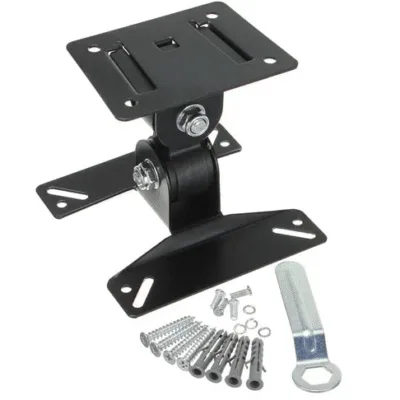 Full Motion & Adjustable TV Wall Mounts, TV Brackets, Wall Mounts & Stands
Premium TV Wall Mount 14–24 Tilt & Swivel – Adjustable Revolving LCD/LED Smart Bracket for Home & Office
Delivery & Installation Services:
- Same-day delivery and installation service available in Colombo.
- Island-wide delivery: 1 – 2 Days (COD Available).
- ඕනෑම වේලාවක ඔබගේ නිවසට, කාර්යාලයට හෝ සේවා ස්ථානයට පැමිණ මෙය සවිකර දීමට හැකිය.
SKU: n/a - Full Motion & Adjustable TV Wall Mounts, TV Brackets, Wall Mounts & Stands
Premium TV Wall Mount 14–27 Rotate Full Adjustable – V-STAR 101W Heavy Duty Swivel & Tilt Bracket
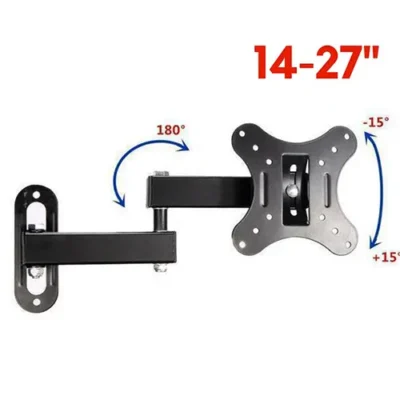 Full Motion & Adjustable TV Wall Mounts, TV Brackets, Wall Mounts & Stands
Premium TV Wall Mount 14–27 Rotate Full Adjustable – V-STAR 101W Heavy Duty Swivel & Tilt Bracket
Delivery & Installation Services:
- Same-day delivery and installation service available in Colombo.
- Island-wide delivery: 1 – 2 Days (COD Available).
- ඕනෑම වේලාවක ඔබගේ නිවසට, කාර්යාලයට හෝ සේවා ස්ථානයට පැමිණ මෙය සවිකර දීමට හැකිය.
SKU: n/a - Full Motion & Adjustable TV Wall Mounts, TV Brackets, Wall Mounts & Stands
Premium TV Wall Mount 14″-43″ Fully Adjustable Rotatable Bracket – Heavy Duty
 Full Motion & Adjustable TV Wall Mounts, TV Brackets, Wall Mounts & Stands
Premium TV Wall Mount 14″-43″ Fully Adjustable Rotatable Bracket – Heavy Duty
Delivery & Installation Services:
- Same-day delivery and installation service available in Colombo.
- Island-wide delivery: 1 – 2 Days (COD Available).
- ඕනෑම වේලාවක ඔබගේ නිවසට, කාර්යාලයට හෝ සේවා ස්ථානයට පැමිණ මෙය සවිකර දීමට හැකිය.
SKU: n/a - Full Motion & Adjustable TV Wall Mounts, TV Brackets, Wall Mounts & Stands
Premium TV Wall Mount 14″–42″ Fully Adjustable Rotatable Bracket – Heavy Duty, Space-Saving Design
 Full Motion & Adjustable TV Wall Mounts, TV Brackets, Wall Mounts & Stands
Premium TV Wall Mount 14″–42″ Fully Adjustable Rotatable Bracket – Heavy Duty, Space-Saving Design
Delivery & Installation Services:
- Same-day delivery and installation service available in Colombo.
- Island-wide delivery: 1 – 2 Days (COD Available).
- ඕනෑම වේලාවක ඔබගේ නිවසට, කාර්යාලයට හෝ සේවා ස්ථානයට පැමිණ මෙය සවිකර දීමට හැකිය.
SKU: n/a - Full Motion & Adjustable TV Wall Mounts, TV Brackets, Wall Mounts & Stands
Premium TV Wall Mount Bracket 32–55 Inch Fully Adjustable Rotatable Stand – Heavy Duty Full Motion Design
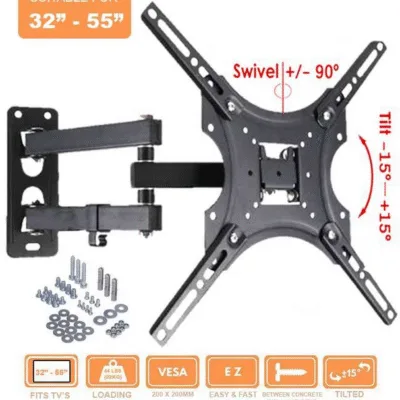 Full Motion & Adjustable TV Wall Mounts, TV Brackets, Wall Mounts & Stands
Premium TV Wall Mount Bracket 32–55 Inch Fully Adjustable Rotatable Stand – Heavy Duty Full Motion Design
Delivery & Installation Services:
- Same-day delivery and installation service available in Colombo.
- Island-wide delivery: 1 – 2 Days (COD Available).
- ඕනෑම වේලාවක ඔබගේ නිවසට, කාර්යාලයට හෝ සේවා ස්ථානයට පැමිණ මෙය සවිකර දීමට හැකිය.
SKU: n/a - Full Motion & Adjustable TV Wall Mounts, TV Brackets, Wall Mounts & Stands
TV Wall Bracket 14 to 55 Inches – Full Motion Tilt & Swivel Smart Mount for LED/LCD TVs
 Full Motion & Adjustable TV Wall Mounts, TV Brackets, Wall Mounts & Stands
TV Wall Bracket 14 to 55 Inches – Full Motion Tilt & Swivel Smart Mount for LED/LCD TVs
Delivery & Installation Services:
- Same-day delivery and installation service available in Colombo.
- Island-wide delivery: 1 – 2 Days (COD Available).
- ඕනෑම වේලාවක ඔබගේ නිවසට, කාර්යාලයට හෝ සේවා ස්ථානයට පැමිණ මෙය සවිකර දීමට හැකිය.
SKU: n/a - Full Motion & Adjustable TV Wall Mounts, TV Brackets, Wall Mounts & Stands
TV Wall Mount 24 to 70 Inches – ZENO LP52 Dual Arm Full Motion Heavy Duty Bracket for LED/LCD Flat & Curved TVs
 Full Motion & Adjustable TV Wall Mounts, TV Brackets, Wall Mounts & Stands
TV Wall Mount 24 to 70 Inches – ZENO LP52 Dual Arm Full Motion Heavy Duty Bracket for LED/LCD Flat & Curved TVs
Delivery & Installation Services:
- Same-day delivery and installation service available in Colombo.
- Island-wide delivery: 1 – 2 Days (COD Available).
- ඕනෑම වේලාවක ඔබගේ නිවසට, කාර්යාලයට හෝ සේවා ස්ථානයට පැමිණ මෙය සවිකර දීමට හැකිය.
SKU: n/a - Full Motion & Adjustable TV Wall Mounts, TV Brackets, Wall Mounts & Stands
TV Wall Mount 26 to 55 Inches – Full Motion Heavy Duty DF-400 Bracket for LED & LCD TVs
 Full Motion & Adjustable TV Wall Mounts, TV Brackets, Wall Mounts & Stands
TV Wall Mount 26 to 55 Inches – Full Motion Heavy Duty DF-400 Bracket for LED & LCD TVs
Delivery & Installation Services:
- Same-day delivery and installation service available in Colombo.
- Island-wide delivery: 1 – 2 Days (COD Available).
- ඕනෑම වේලාවක ඔබගේ නිවසට, කාර්යාලයට හෝ සේවා ස්ථානයට පැමිණ මෙය සවිකර දීමට හැකිය.
SKU: n/a - Full Motion & Adjustable TV Wall Mounts, TV Brackets, Wall Mounts & Stands
V Star S5 Full Motion TV Mount for 32″ to 65″ LED TV
 Full Motion & Adjustable TV Wall Mounts, TV Brackets, Wall Mounts & Stands
V Star S5 Full Motion TV Mount for 32″ to 65″ LED TV
Delivery & Installation Services:
- Same-day delivery and installation service available in Colombo.
- Island-wide delivery: 1 – 2 Days (COD Available).
- ඕනෑම වේලාවක ඔබගේ නිවසට, කාර්යාලයට හෝ සේවා ස්ථානයට පැමිණ මෙය සවිකර දීමට හැකිය.
SKU: n/a - Full Motion & Adjustable TV Wall Mounts, TV Brackets, Wall Mounts & Stands
ZENO P700 Double Arm TV Wall Mount Bracket for 50–85 Inch LCD LED Screens | Heavy-Duty Strong Full Motion Bracket
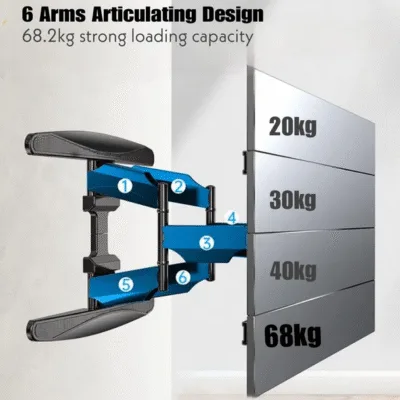 Full Motion & Adjustable TV Wall Mounts, TV Brackets, Wall Mounts & Stands
ZENO P700 Double Arm TV Wall Mount Bracket for 50–85 Inch LCD LED Screens | Heavy-Duty Strong Full Motion Bracket
Delivery & Installation Services:
- Same-day delivery and installation service available in Colombo.
- Island-wide delivery: 1 – 2 Days (COD Available).
- ඕනෑම වේලාවක ඔබගේ නිවසට, කාර්යාලයට හෝ සේවා ස්ථානයට පැමිණ මෙය සවිකර දීමට හැකිය.
SKU: n/a
Movable TV Wall Mounts: Adjustable Brackets for Every Screen Size
A movable wall mount does something a fixed bracket cannot. It lets you pull the TV away from the wall, angle it left or right, tilt it up or down, and push it back when you are done. For rooms where the seating position changes, or where the TV sits in a corner, that flexibility is the difference between a good viewing experience and a frustrating one.
This guide covers what you need to know about adjustable TV wall mounts, from VESA measurements and weight limits to swivel angles and installation. If you already know what you need, the brackets are listed above. If you are still deciding, start here.
What we stock: movable and adjustable TV wall mounts from Rs 950 to Rs 29,500, covering screens from 14 inches to 90 inches, from KALOC, North Bayou (NB), ZENO and V-STAR. Same day delivery and installation in Colombo, island wide in 1 to 2 days, cash on delivery available.
What makes a wall mount “movable”?
Movable, adjustable, articulating and full motion all describe the same category of bracket. These mounts use one or more hinged arms that extend from the wall plate, letting the TV swing, swivel and tilt.
Fixed mounts hold the TV flat and immovable. Tilt mounts add a small up and down adjustment. Movable mounts add the arm, which is what gives you side to side swivel and the ability to pull the screen away from the wall.
That extra movement changes what the bracket can do, but it also changes what the bracket needs. A movable mount puts more leverage on the wall plate than a fixed mount, so the installation requirements are stricter and the weight rating matters more.
Three measurements before you buy
Every movable mount decision comes down to the same three numbers. Get these right and the bracket will fit.
Screen sizeMeasured diagonally, corner to corner. We stock movable mounts for 14 inch up to 90 inch screens. A mount rated 40 to 85 inch fits any size in that range.
VESA patternThe distance between the four mounting holes on the back of the TV, written horizontal x vertical in millimetres. Your TV pattern must fall inside the mount VESA range.
TV weight without the standNot the shipping weight, and not the weight with the stand attached. The panel alone. Always pick a mount rated higher than your TV, never the same number.
How to find your TV VESA pattern
Lay the TV face down on a soft surface. Measure the horizontal distance between the left and right mounting holes, then the vertical distance between the top and bottom holes. If the holes are 200mm apart both ways, your TV is VESA 200x200. If it is 400mm across and 400mm down, it is VESA 400x400.
| Screen size | Typical VESA pattern |
|---|---|
| 14 to 27 inch | 75x75 or 100x100 |
| 32 inch | 100x100 or 200x200 |
| 43 to 50 inch | 200x200 or 400x200 |
| 55 to 65 inch | 400x400 |
| 70 to 85 inch | 400x400 or 600x400 |
| 85 inch and above | 600x400 or larger |
Good to know: a mount that supports VESA 600x400 also fits a TV with VESA 200x200, as long as the mounting plate covers the smaller holes. Always confirm the bracket VESA range includes your pattern.
Weight capacity and why the safety margin matters
Movable mounts extend the TV away from the wall, and that extension creates leverage. The wall plate and arm joints carry more stress than they would on a fixed bracket. A TV that weighs 20kg feels like more than 20kg on an extended arm.
- Never match the weight capacity exactly. If your TV weighs 25kg, choose a mount rated for 40kg or more.
- Check the arm reach. A mount that extends 600mm puts far more load on the wall than one that extends 300mm.
- Bigger screens need heavier duty brackets. A 75 inch TV typically weighs 28 to 38kg. An 85 inch can weigh 38 to 55kg.
| Screen size | Typical weight without stand |
|---|---|
| 32 inch | 4 to 6 kg |
| 43 inch | 7 to 10 kg |
| 50 inch | 10 to 14 kg |
| 55 inch | 13 to 17 kg |
| 65 inch | 20 to 28 kg |
| 75 inch | 28 to 38 kg |
| 85 inch | 38 to 55 kg |
What you get from a movable mount
Swivel
Swivel is the side to side rotation, typically 45 to 180 degrees depending on the model and arm design. This is what lets you angle the TV toward a sofa on the left of the room, or toward the dining table while you eat. For corner installations, swivel is the feature that makes the mount work at all: a fixed bracket in a corner would have the TV facing the wrong way.
Tilt
Tilt is the up and down angle, usually around 5 to 15 degrees on a movable mount. It is useful for cutting glare from windows or ceiling lights, and for adjusting the screen when the mount sits above eye level.
Extension
Extension is how far the arm pulls the TV from the wall. Entry level mounts extend 300 to 400mm; heavy duty dual arm models reach further. More extension means more flexibility but also more leverage, so the bracket has to be rated for it.
Cable management
Most movable mounts include a cable channel or clip system on the arm. This matters more than people expect, because when the TV moves the cables move with it. Without cable management, cables sag, tangle or strain the ports.
Movable, fixed or tilt: which one?
| Fixed mount | Tilt mount | Movable mount | |
|---|---|---|---|
| Wall profile | 15 to 30mm | 30 to 50mm | Retracts close, extends 300mm+ |
| Swivel | No | No | 45 to 180 degrees |
| Tilt | No | 5 to 15 degrees | 5 to 15 degrees |
| Extension | No | No | Yes |
| Price from | Rs 950 | Rs 2,400 | Rs 950 |
| Best for | Fixed seating, clean look | High mounting, glare | Corner rooms, flexible seating |
On price: movable brackets for small screens start as low as fixed ones, because a 14 to 24 inch swivel arm carries very little weight. The cost climbs with screen size, not with the mechanism. Dual arm brackets for 32 inch and up start around Rs 6,500, and heavy duty 50 to 85 inch models around Rs 13,500.
Pick a fixed mount if your seating never changes and you want the cleanest look. Pick a tilt mount if the TV sits high or you have glare. Pick a movable mount if you need to angle the screen, if the TV is in a corner, or if people watch from different positions. If the screen has to move between rooms, look at trolley stands instead.
Choosing by screen size
For 55 inch TVs
The most common size in Sri Lankan living rooms. A 55 inch panel weighs 13 to 17kg and almost always uses VESA 400x400, so most mounts rated 32 to 60 inch or 40 to 65 inch will fit. Check the VESA range covers 400x400 and the capacity is at least 30kg. Brackets covering 55 inch screens start around Rs 2,600.
For 65 inch TVs
A 65 inch weighs 20 to 28kg and typically uses VESA 400x400. Still within range for standard movable mounts, but choose at least 40kg capacity and check the arm extension: a 65 inch on a long arm puts real load on the wall plate, so the fixing has to be solid. Dual arm brackets covering 65 inch start around Rs 7,500.
For 75 inch TVs
A 75 inch weighs 28 to 38kg and may use VESA 400x400 or 600x400. This is heavy duty territory, where lighter mounts run out of both capacity and VESA range. The Kaloc S8 is rated for 40 to 85 inch TVs up to 45.5kg with VESA support to 600x400mm, which covers most 75 inch models.
For 85 inch TVs and above
At this size you are into commercial grade brackets. An 85 inch weighs 38 to 55kg. The ZENO P700 covers 50 to 85 inch up to 30kg, so check your panel weight carefully against it. For the largest screens, the Kaloc NX 90 is rated for 65 to 90 inch displays up to 90kg with VESA to 600x400mm.
Above 90 inches: we do not stock a wall bracket beyond 90 inch in this range. For 100 inch and larger displays, a trolley or smart board stand is usually the practical answer.
Wall type and installation
Movable mounts need a stronger fixing than fixed brackets, because the arm creates leverage. A fixed mount holds the TV tight to the wall with no movement. A movable mount pulls it 400mm or more away, and that distance multiplies the force on the bolts.
Concrete
The strongest option. Use the concrete anchors and lag bolts supplied with the bracket, drill pilot holes to the correct depth, and avoid over tightening. A movable mount on concrete is the most stable installation you can get.
Brick
Strong enough when you use the right anchors. Aim for the centre of a brick, never the mortar joint: mortar is softer and will not hold under the extra leverage of an extending arm.
Partition or stud walls
This is where movable mounts get demanding. The wall plate has to fix directly into the timber studs. For heavier TVs, choose a mount whose plate is wide enough to span two studs. A single stud fixing works for smaller screens, but a 65 inch on an extended arm is pushing it.
Before you drill: check for concealed wiring and plumbing. In Sri Lankan homes electrical conduit often runs inside walls, and hitting a live cable is a real risk. If you are unsure of the wall, or the TV is over 30kg, let us install it.
How high should you mount it?
The most common mistake with any wall mount is going too high. In a living room, the centre of the screen should sit at eye level when you are seated on your usual sofa, which for most people is 100 to 110cm from the floor. In a bedroom, where you watch lying down, 120 to 140cm usually works better.
Movable mounts specifically: add 5 to 10cm to your target height. When the arm extends, the TV drops slightly because of the hinge geometry. Mount at exact eye level with the arm retracted and the screen will sit below eye level once you pull it out.
Frequently asked questions
What is a movable TV wall mount?
A movable TV wall mount is a bracket with a hinged arm that lets you pull the TV away from the wall, swivel it side to side, and tilt it up or down. It is also called an articulating mount, adjustable mount or full motion mount. Unlike a fixed bracket, which holds the TV flat and immovable, a movable mount gives you flexibility in viewing angle and screen position.
How much does a movable TV wall mount cost in Sri Lanka?
Movable TV wall mounts start at Rs 950 for small screen brackets that fit 14 to 24 inch TVs. Dual arm brackets for 32 inch and larger screens start around Rs 6,500. Heavy duty models for 50 to 85 inch TVs start around Rs 13,500, and the largest bracket we stock, rated for 65 to 90 inch screens, is Rs 29,500.
Will a movable wall mount fit my 55 inch TV?
Yes. Most movable mounts rated for 32 to 60 inch or 40 to 65 inch screens will fit a 55 inch TV. Check two things: your TV VESA pattern should be 400x400, and the mount weight capacity should be at least 30kg. A 55 inch TV typically weighs 13 to 17kg, so a 30kg rated mount gives you a comfortable safety margin. Movable mounts covering 55 inch screens start around Rs 2,600.
What size wall mount do I need for a 75 inch TV?
For a 75 inch TV, look for a movable mount rated for at least 40kg with VESA support up to 600x400. A 75 inch TV weighs 28 to 38kg, so you need capacity above that. The Kaloc S8 is rated for 40 to 85 inch TVs up to 45.5kg and supports VESA patterns up to 600x400mm, which covers most 75 inch models.
Is a movable wall mount better than a fixed mount?
It depends on your room. A fixed mount is cheaper and sits flush to the wall, which looks cleaner. A movable mount lets you angle the screen toward different seating positions, which matters in corner rooms and open plan spaces. If you never need to change the TV angle, a fixed mount is simpler. If you do, a movable mount is worth the extra cost.
Can a movable wall mount go on a concrete wall?
Yes. Concrete is one of the best surfaces for movable mounts because it gives a strong, stable fixing point. Use the concrete anchors and lag bolts supplied with the bracket. The extra leverage from an extending arm is well within what a correctly installed concrete fixing can handle.
How far does a movable wall mount extend from the wall?
Entry level movable mounts extend roughly 300 to 400mm from the wall. Heavy duty dual arm models extend further, and most retract to sit close to the wall when pushed back. The longer the arm, the more leverage it puts on the wall, so longer arm brackets need a higher weight rating and stronger fixings.
Can I use a movable wall mount in a corner?
Yes, and this is one of the best uses for a movable mount. Fixed and tilt brackets sit flat against the wall, so a TV in a corner would face the wrong direction. A movable mount extends and swivels, which lets you angle the screen toward the seating area regardless of which wall the bracket is fixed to.
Do movable wall mounts come with cable management?
Most do. Cable management is usually a channel or clip system built into the arm. It matters more than people expect, because when the TV moves the cables move with it. Without cable management, cables sag, tangle or strain the ports on the back of the TV.
What is the difference between a movable mount and a full motion mount?
Nothing. Movable, adjustable, articulating and full motion all describe the same type of bracket. The naming varies by brand and region, but the mechanism is the same: a hinged arm that extends, swivels and tilts.
Can I install a movable wall mount myself?
Yes, if you know your wall type and have the right tools: a drill with masonry bits, a spirit level, and a stud finder for partition walls. The tricky part is weight. A 65 inch TV on an extending arm is heavy and a wrong anchor can fail under load. If you are unsure about the wall, or the TV is over 30kg, professional installation is safer. We install in Colombo the same day.
Do you deliver movable wall mounts outside Colombo?
Yes. We deliver island wide in 1 to 2 days with cash on delivery available. Same day delivery and installation is available in Colombo and the surrounding areas for all movable mount types.
Quick checklist before you buy
- Screen size, measured diagonally
- VESA pattern, measured in millimetres
- TV weight without the stand
- Wall type: concrete, brick or stud
- Weight capacity, comfortably above your TV weight
- VESA range must include your TV pattern
- Arm extension and swivel range for your room layout
- Installation: DIY or professional
Browse all TV brackets, wall mounts and stands, or compare with ceiling mounts and monitor arms and desk mounts.
Not sure which movable mount fits your TV?
Send us your TV model number and VESA measurement and we will match you to the right bracket. If you cannot measure the VESA yourself, the model number is usually enough. Same day delivery and installation in Colombo, island wide in 1 to 2 days.
Chat with us on WhatsApp